






Projects between the guests
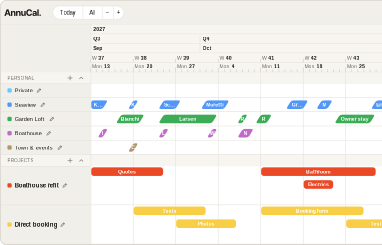
A renovation, the season start, your own booking site: each project is a row with its phases. You see at once which guests it touches.
Vacation Rental Calendar
Every unit in its own row, and below it everything that has to fit between the guests: a renovation, the season start, your own stays. You enter bookings yourself with one drag, or they come in by link from your channel manager.
Every account starts with 30 days of Pro. No card needed. After that, Free stays free.

The Rental Availability Calendar template on the Timeline: three rentals, your own dates above them, the projects below. Open it in the demo, no account needed.Swipe sideways through the weeks. The Rental Availability Calendar template on the Timeline: three rentals, your own dates above them, the projects below.
Sound familiar?
One booking in your inbox, one in the spreadsheet, one only in your head. It works - until two guests book the same week.
Every inquiry means checking your list and writing back. Your availability lives where nobody else can see it.
Many channel managers show all your units only a few months ahead. Whether the autumn renovation still fits between the guests, you cannot see there.
The year plan shows twelve months on one screen. Switch on the units you need right now and keep your own dates and the events in town beside them. Free weeks stand out at once.
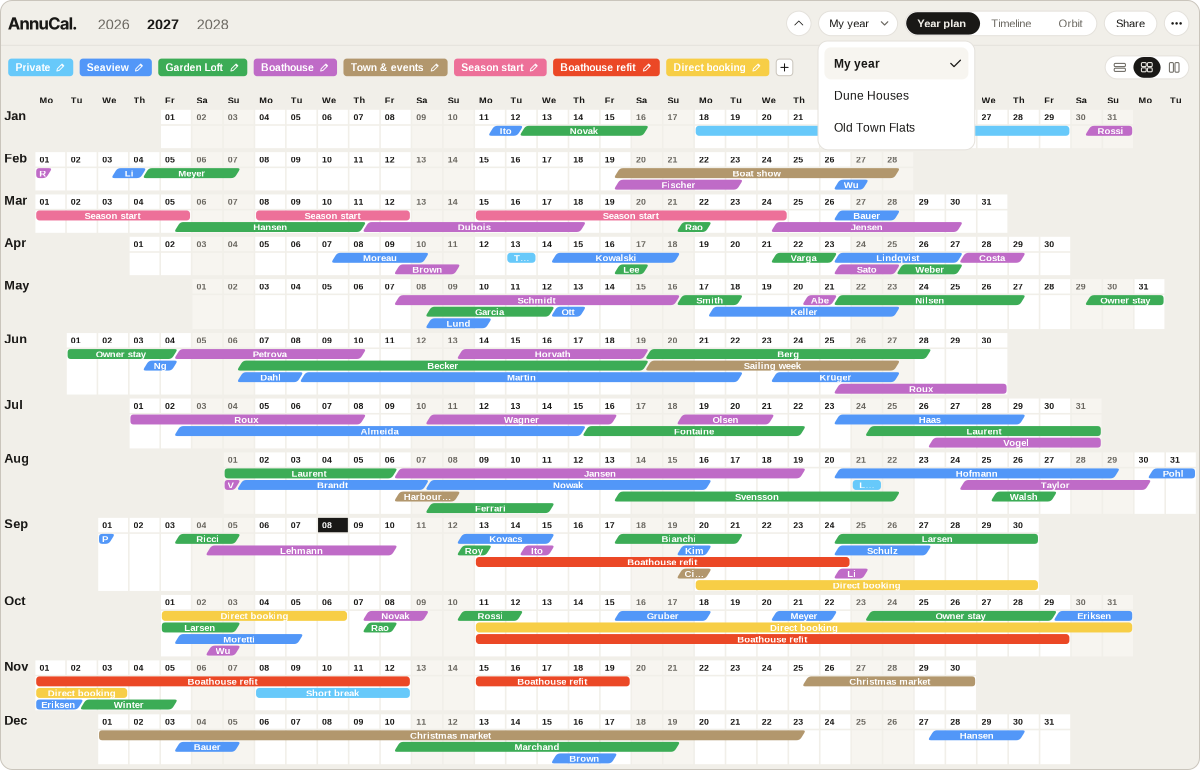
The example year in the year plan: three rentals, Private, Town & events and the projects, with the scenario menu open - two more buildings, each a scenario of its own.
When one guest leaves in the morning and the next arrives in the afternoon, AnnuCal splits the changeover day diagonally: one booking ends in the middle of the day, the next starts there. Every rental stays in its own line, and you see at a glance where guests change over and where a night stays free.
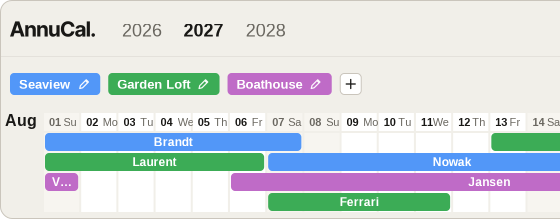
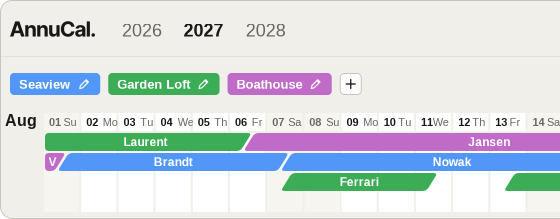
The same three holiday flats in August. You find the switch in each rental’s calendar under “Occupancy”.
If you use Smoobu, Hostaway, Guesty, Lodgify, Airbnb or Booking.com, every unit has its own calendar link (iCal) there. You add it to AnnuCal once - no interface, no programming. AnnuCal reads the calendar and keeps it up to date.
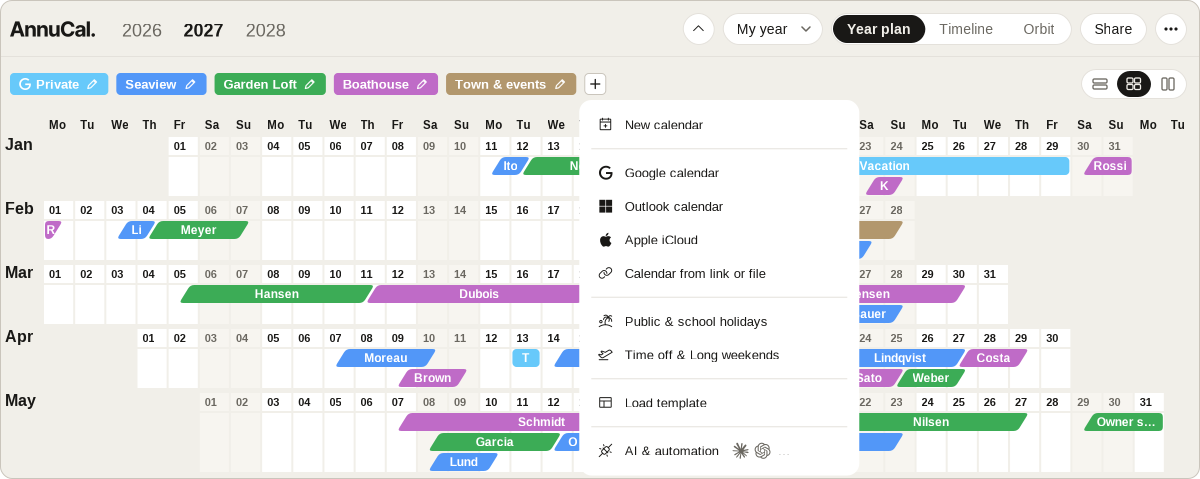
The + menu over the year plan: “Calendar from link or file” for your units, and Google, Outlook, Apple iCloud and AI & automation for your own calendars.
Calendars from a link are read-only in AnnuCal. Prices and availability stay where you manage them today.
Calendars and AI
Connect Google Calendar, Outlook or Apple iCloud, and your private dates stand next to your guests. Claude and ChatGPT read your planning and add dates for you.
What makes the difference
A renovation, the season start, your own booking site: each project is a row with its phases. You see at once which guests it touches.
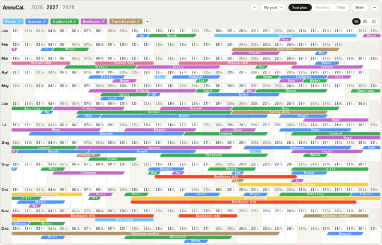
Three units, twelve months, one colour each. Gaps stand out before they cost you.
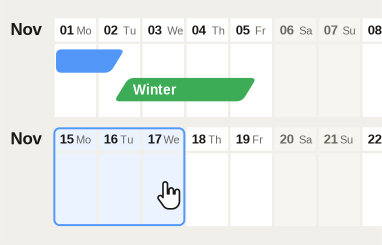
Drag across the days and the stay is marked. A booking changes? Just move it.
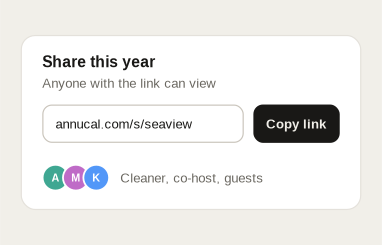
Share your calendar so guests, co-hosts or your cleaning team always see the current status - without another phone call.
How it works
Step 1
Sign up and load the Rental Availability Calendar with one click. Three example units and three projects are there at once.
Step 2
Drag your bookings across the days - no channel manager needed. Or replace the example units with the calendar links from yours.
Step 3
Put renovations and owner stays between the guests and share the calendar with your cleaning team.
What hosts say
People in over 100 countries plan their year with AnnuCal.
“I spotted two empty weeks in high season the day I set it up - both booked out since.”
“My cleaner and I look at the same calendar now. The back-and-forth just stopped.”
FAQ
Still comparing? The 7 best occupancy calendars for hosts. Short answers. If something is missing, write to us.
Free stays free: one year plan with three calendars, for as long as you like. That is enough for one or two units. The template on this page uses five calendars and projects on the Timeline, so it is part of Pro (€99 a year or €12.90 a month). Every account starts with 30 days of Pro, no card needed.
Yes. Sign up, load the template with one click, and it is in your account - the five calendars, the three projects and the example bookings included. Replace the examples with your own bookings and you are set.
As many as you like. Every unit becomes a calendar in its own colour; with Pro, calendars and scenarios are unlimited, per owner too.
Yes. Share your year by link - read-only - and everyone sees the current state: guests who ask about a date, co-hosts, your cleaning team. With Pro, up to two people can also edit the calendar with you.
No. With one or a few rentals you simply enter the bookings yourself: drag across the days, type the name, done. The link is only for when your bookings already live in Smoobu, Airbnb or Booking.com.
No. Rates and availability stay in your channel manager or on the portals. AnnuCal reads their calendars by link and lays your year over them: every unit, your own dates and the projects between the guests.
Yes. AnnuCal runs in the browser and works on iPhone and Android - your calendar is with you everywhere.
Open the template in the demo, move a few bookings and put a renovation between them. No account needed until you want to keep it.